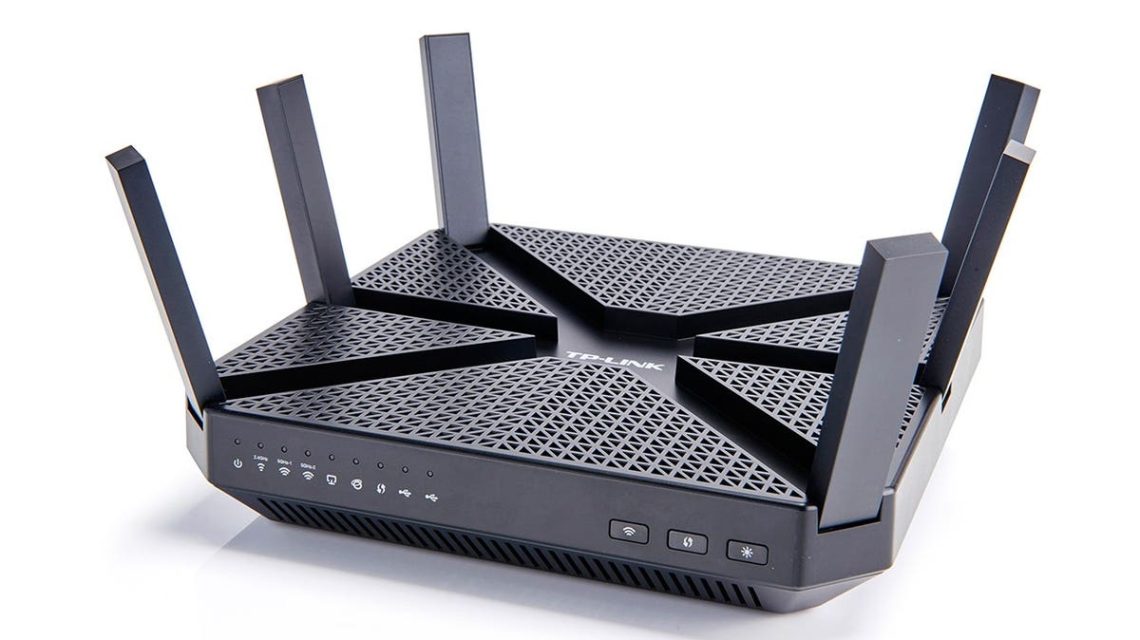
Most people rely on home Wi-Fi for a variety of tasks like streaming movies, displaying photos on phones, and connecting printers wirelessly. Your home network might include multiple devices such as computers, smartphones, tablets, smart speakers, TVs, cameras, printers, and connected appliances. These devices regularly exchange data over the network.
While some data traffic is expected, like accessing a banking website or downloading software updates, other traffic may be unwanted or suspicious. Firewalls act as security systems that manage these connections by setting rules for allowed traffic. A firewall, acting similar to a doorman, doesn’t have all the answers but can block unexpected traffic.
Understanding the workings and limitations of firewalls can enhance how you secure your home Wi-Fi network.
Firewall Functions Explored
A firewall manages network connections, working best when used with updated software, strong passwords, and regular backups.
Router Firewalls vs. Software Firewalls
Your router is the device connecting your home to the internet, often with a built-in firewall. Positioned at the network gateway, the router firewall provides the first layer of defense against unsolicited internet connections.
Software firewalls operate on specific devices like PCs or Macs, offering another level of monitoring and control, particularly when a device connects to different networks.
Inbound and Outbound Traffic Explained
Inbound traffic includes data arriving toward your device from external sources. Some traffic is anticipated, like website responses, while other incoming data may not be.
Outbound traffic involves data leaving your device, such as browsing a webpage or sending an email.
The Importance of Network Awareness
With online services handling banking and shopping, sensitive data needs security. External work connections further highlight the need to monitor network activity.
Firewall Limitations
Firewalls help manage connections, reducing exposure to unsolicited inbound traffic and highlighting unusual activity. However, they can’t strengthen passwords or prevent users from being tricked by deceptive messages. Effective security requires antivirus protection, software updates, multifactor authentication, secure settings, and reliable backups.
Recommendations for Firewalls and Network Security
Firewalls should be part of a holistic security strategy alongside device and account protection to safeguard critical information.
- Update software and devices regularly.
- Employ multifactor authentication for vital accounts.
- Avoid suspicious links and attachments.
- Verify remote access requests.
- Use antivirus protection and backups alongside firewalls.
Backup Strategies
A solid backup plan like the 3-2-1 strategy is crucial. Keep three data copies on two different storage types, with one stored separately. Test backups to ensure they can restore files when needed. Protect backup accounts with strong, unique passwords and multifactor authentication.
If a ransomware attack occurs, disconnect the affected device safely from the network immediately. Avoid paying ransoms or deleting evidence; instead, keep detailed records and seek professional help.
Firewalls are vital components of network security but should be part of a comprehensive protection plan. Check and update firewall settings regularly, keeping an eye on connected devices.
 Elon Musk’s Investments Face Challenges Amid Political Shifts
  The Pressing Need for Timely Cybersecurity Alerts
  AI Agents in Shopping: Current Challenges and Future Prospects
  Meta Phases Out Fruit-Inspired AI Model Names
  Agility Robotics’ IPO Marks Milestone in Humanoid Robotics
  Elon Musk Faces Political Shift and Challenges in Texas