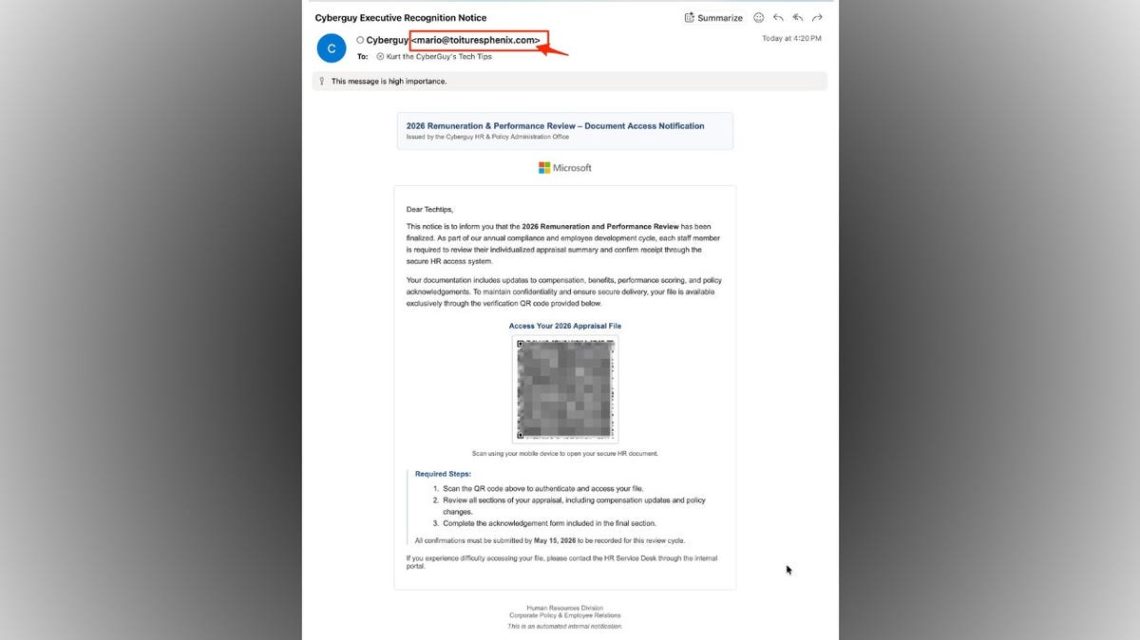
Email scams are becoming increasingly sophisticated, with some posing as official HR notices about performance reviews. These scams often include pay updates, benefits, and deadlines, and feature QR codes to access files. While appearing to be from internal HR offices, these scams actually redirect you to phishing pages to steal login information.
CyberGuy warns about QR code email scams and shares red flags to watch out for.
Recognizing QR Code Phishing Scams
There are several signs that an email is a phishing scam:
- Sender’s Email Domain: The email address does not match the company it claims to represent.
- Urgent Deadlines: Scammers often create urgency to push recipients into acting without thinking.
- QR Code Access: The use of QR codes, known as “quishing,” is a tactic where the destination link is concealed.
- Generic Greetings: Emails that use placeholders or mailing list styles rather than a personal greeting.
- Vague Language: References to unnamed “secure HR access systems” are suspicious.
- Branding: Familiar logos can be misleadingly copied in scam emails.
- High Importance Flags: Emails marked urgent to pressure recipients to respond.
- Unusual Access Methods: Scammers ask you to bypass normal login procedures.
Why QR Code Phishing is on the Rise
QR codes seem safe because they are commonly used by restaurants and airlines, but scammers exploit this trust. QR codes can hide malicious links, and scanning them may direct you to deceitful login pages.
Potential Consequences of Scanning a Malicious QR Code
If you fall for a QR code scam, you might unwittingly provide login details or download malware. This can lead to identity theft or unauthorized access to company systems.
Recommendations for Staying Safe
- Avoid Scanning Unexpected QR Codes: Always verify authenticity by visiting official websites.
- Check Sender’s Domain: Verify complete email addresses before trusting them.
- Use Known Login Paths: Access systems using URLs you trust or bookmarks instead of QR codes.
- Be Cautious with Greetings: Look for emails addressing you personally, as mass phishing emails often use generic greetings.
- Confirm with Companies: Directly contact your HR team if something feels suspicious.
- Utilize Strong Antivirus Programs: Protect your devices with reliable security software.
- Consider Data Removal Services: Limit your exposure by removing personal data from online broker sites.
- Keep Devices Updated: Enable automatic updates to secure your devices.
- Two-factor Authentication: Use 2FA to add extra security to your accounts.
CyberGuy invites users to a live class on phone security tips.
Kurt “CyberGuy” Knutsson emphasizes being mindful of phishing emails, especially those involving QR codes. He advises against trusting any email path that pertains to sensitive information.
For more tech tips and security alerts, visit CyberGuy.com and sign up for the CyberGuy Report.
 Beijing’s Tactical Undermining of U.S. Supremacy Through AI
 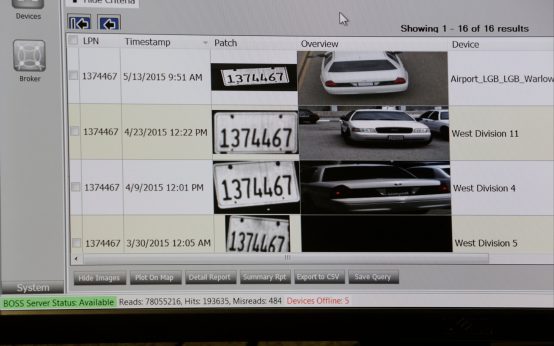 Controversy Surrounds Automated License Plate Readers Across the U.S.
  Trump and Harp Sued Over Truth Social Subscriber Program
  Implications of AI in College Admissions
  Congressional Inaction Amid AI Concerns
  Rising Demand for Data Centers Driven by AI Development